Answer document gaps
Use the four client buckets and the action each gap actually exposes.
Where to find it
My Cases → Your case → Submission → Information we need from you
You need
- A case with an information or change request.
The gap list has three tabs — "Needs you", "With your expert" and "Done" — and, above them, a progress bar whose legend counts "Needed", "Changes", "With your expert" and "Done" (a legend entry appears only while its count is above zero).
| Legend entry | Meaning |
|---|---|
| Needed | A manufacturer fact, upload or answer is still required — these sit under the Needs you tab. |
| Changes | A submitted answer was returned or needs resubmission — also under Needs you. |
| With your expert | The answer or judgment is waiting on expert action. |
| Done | The item is complete for its current basis. |
Let Complya draft an answer from your documents
Above the gap list, the "Information we need from you" header offers one button, "Try to answer from my documents" ("Reading your documents…" while it works, then "Draft from documents again"). It drafts every open item at once; you then review each draft on its card before sending. The header explains: "We'll look through your uploaded files and draft what we can find — you review before anything is sent." With no uploads it reads "Upload a document first and we'll try to draft your answers."; if nothing readable is on file it says: "We couldn't read any of your uploaded files. Try a PDF or Word document."
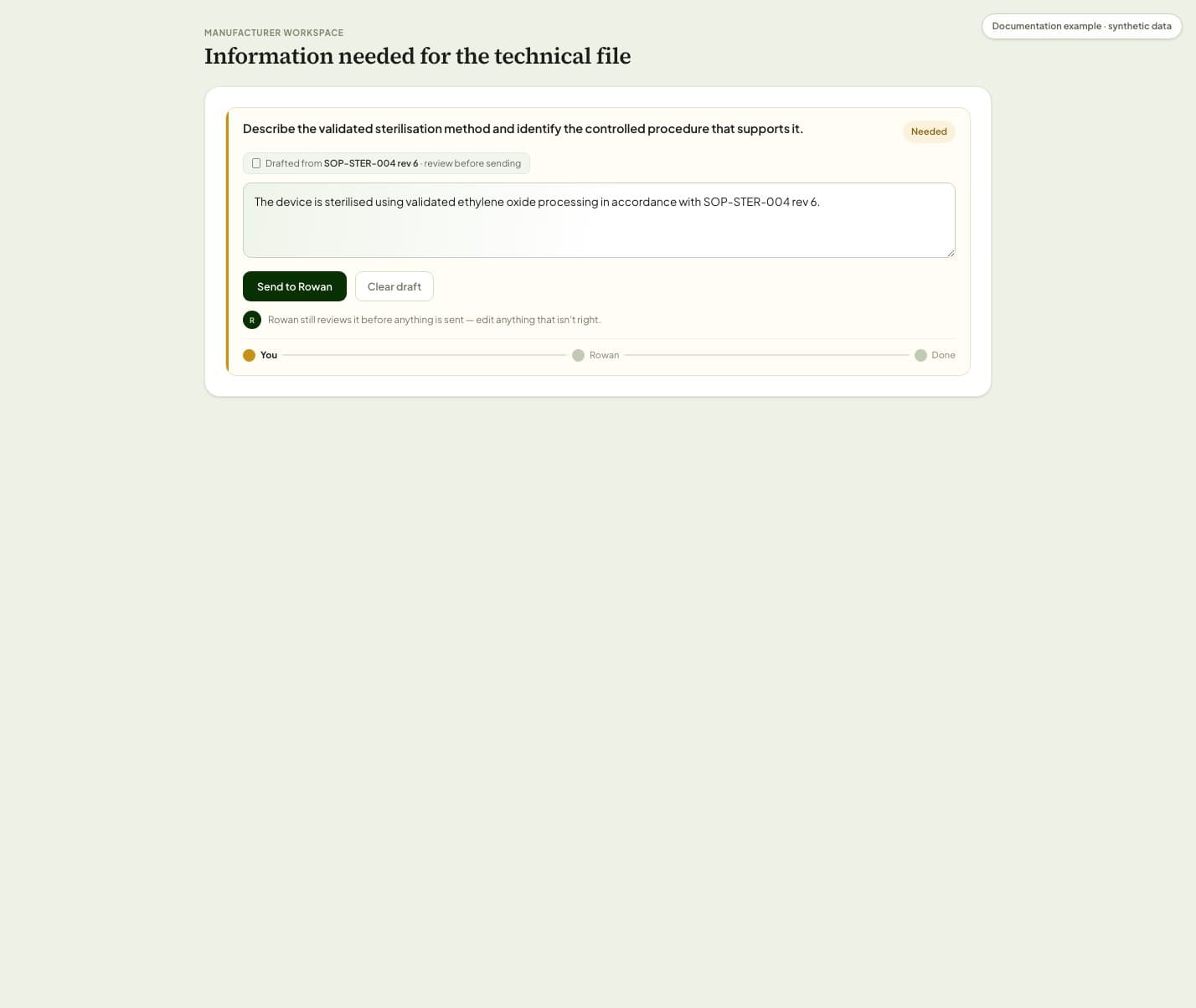
Use the input the card provides: most take free text; some route you to a device or organisation fact instead. Some items are settled elsewhere — a fact, a table, an expert decision — and never appear here as a text box at all.
What happens next
- A submitted client answer waits for the review state shown on that same item.
This article is practical product guidance, not legal advice. Confirm regulatory deadlines and obligations against current official sources and your assigned expert.
European Commission — Medical Devices: New regulationsRegulation (EU) 2017/745 — Medical Device RegulationRegulation (EU) 2017/746 — In Vitro Diagnostic Medical Devices