Create an MDR or IVDR case
Start a device case and provide the information needed for its first review.
Your case
Where to find it
My Cases → New caseYou need
- Access to your organisation's client workspace.
- The device name, regulation and intended purpose.
Start with what you know
Enter the device name, choose MDR or IVDR, select the device class when you know it, and describe the intended purpose. Choose the unsure option instead of guessing a class.
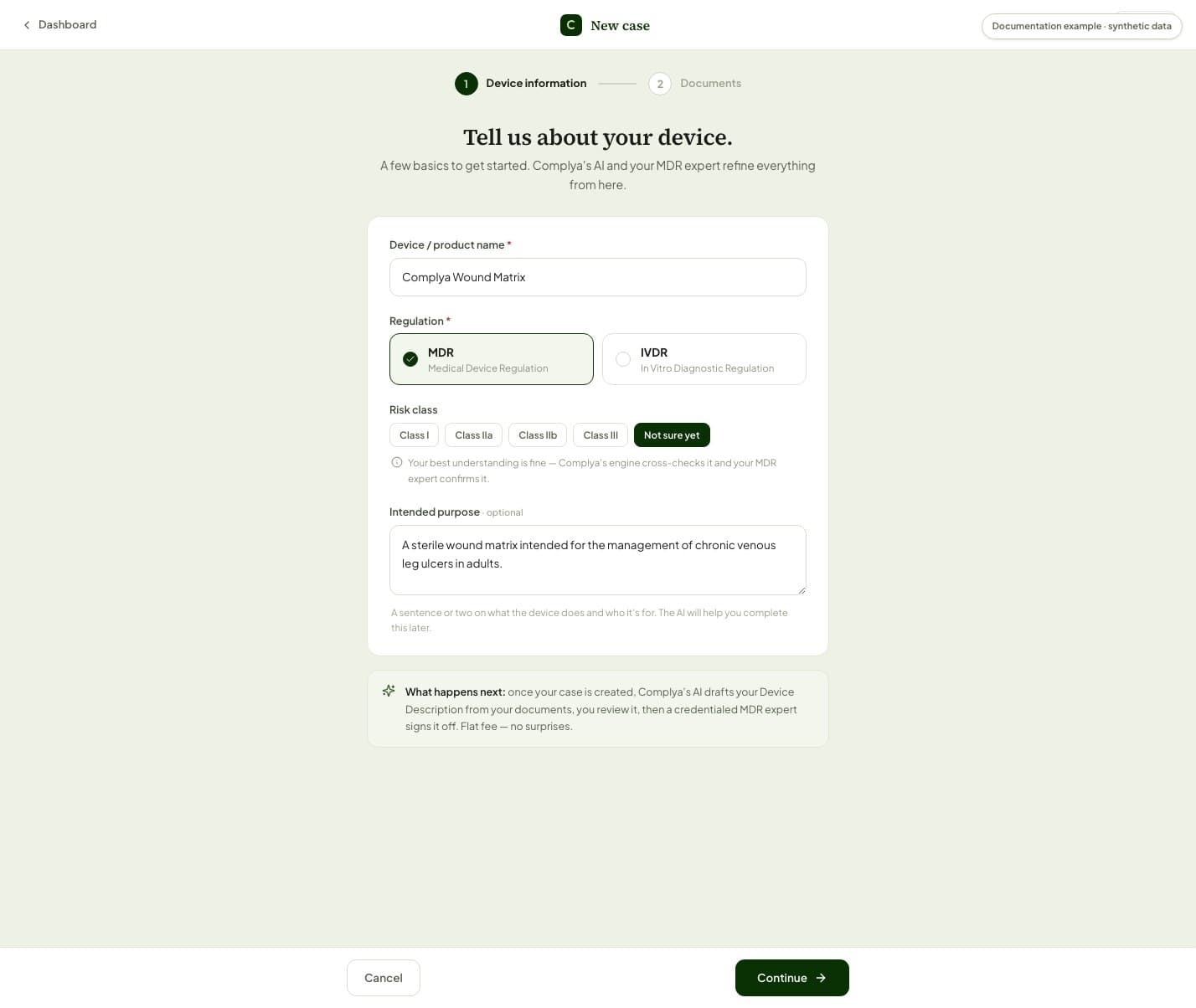
- Choose "New Case" in the sidebar, or "New case" at the top of My Cases (the wizard itself is headed "New case").
- Complete the device details. Treat the intended purpose as regulated content, not a marketing tagline.
- Add the source documents available now. You can provide further evidence from the case later.
- Review the information and create the case.
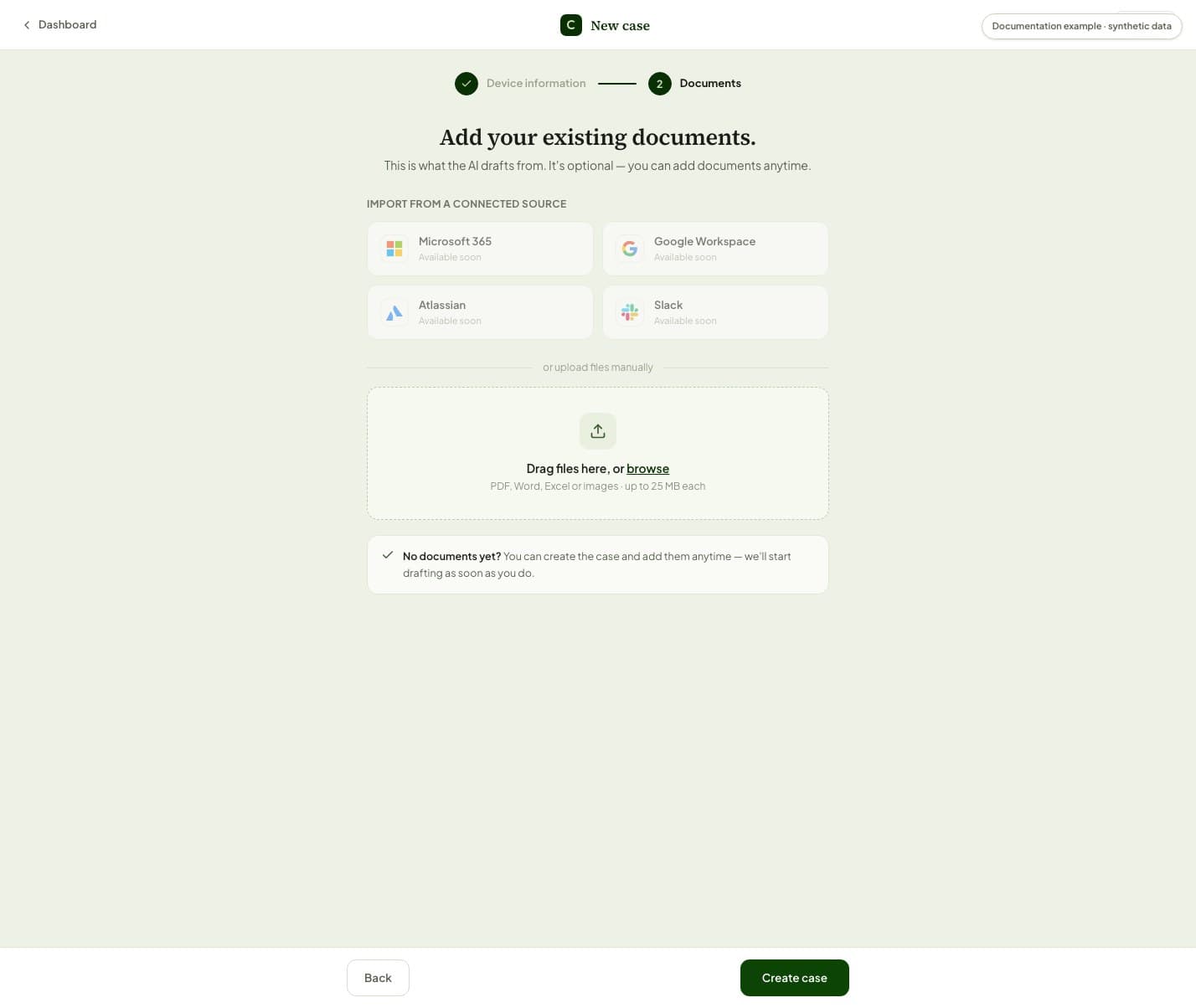
What happens next
- A case with documents can enter drafting; a case without them waits for documents.
- Facts extracted from source material still need confirmation or expert review.
Was this helpful?
Still stuck?
Message support — a person answers, not a bot.
Official references
This article is practical product guidance, not legal advice. Confirm regulatory deadlines and obligations against current official sources and your assigned expert.
European Commission — Medical Devices: New regulationsRegulation (EU) 2017/745 — Medical Device RegulationRegulation (EU) 2017/746 — In Vitro Diagnostic Medical Devices